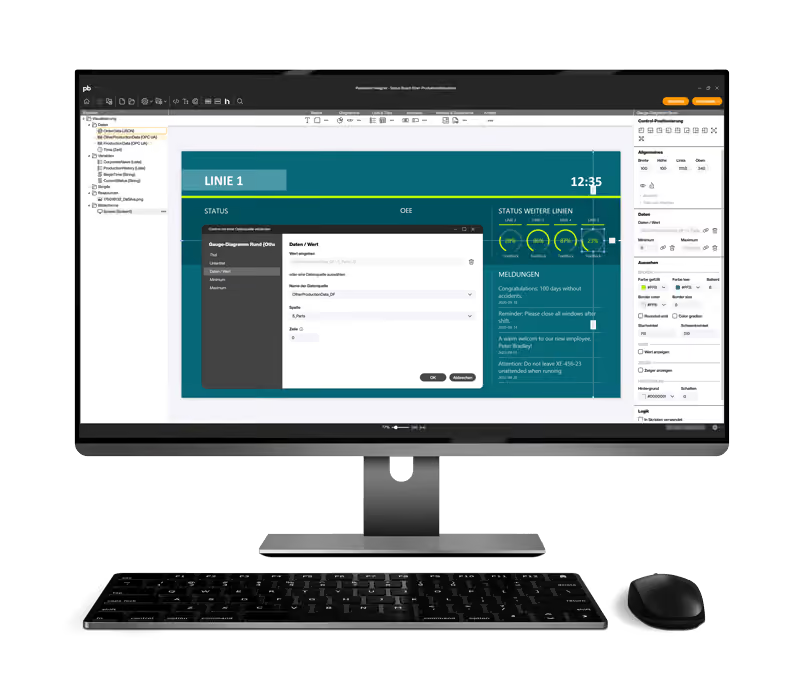
Peakboard BYOD
Transfer your finished application directly to a monitor at an industrial workplace — either via our powerful hardware, the Peakboard Box, or with your own device via Peakboard BYOD. View your processes and data from predefined sources in real time and fully automatically.

Peakboard BYOD
at a glance
With Peakboard BYOD, you can use our Peakboard flexibly on your own hardware — whether laptop, tablet or IPC. Everything via a central platform, completely without IT complexity.
Hardware freely selectable
Use Peakboard BYOD exactly where you need it — on existing Windows devices such as IPCs, laptops, or industrial panels. In this way, the solution adapts to your infrastructure, not the other way around.
No IT validation
Existing devices no longer need to be checked by IT. If there is a need for additional hardware, you can simply obtain it from the existing hardware supplier.
Ready for immediate use
After purchasing your Peakboard BYOD license, you will receive the download link to the software. The installation takes just a few steps — then you can get started right away.
IT infrastructure
Peakboard offers you all technical and organizational options to be seamlessly integrated into a rule-compliant OT and IT environment. The entire Peakboard solution — unless expressly requested — comes completely without Internet access and runs entirely on your local network (LAN). Peakboard is used in an operational technology environment.
With Peakboard as a secure interface between IT and OT, you improve data synergy and ensure fast, real-time communication between and with your machines. For example, you can reduce downtime and increase your OEE. We would be happy to talk to you in a free, individual appointment about what this could actually look like in your company.

Frequently asked questions
Yes. Peakboard BYOD displays Peakboard applications on your own Windows device, without a Peakboard Box. All you need is a usage licence and a compatible Windows device.
Peakboard BYOD runs on Windows 10 from version 1607 and on Windows 11, each in a 64-bit edition. 32-bit systems and ARM-based processors are not supported.
With your own IPC hardware, Peakboard provides no replacement units and no hardware support – faulty devices remain the customer's responsibility. Commissioning can also take longer, because the Peakboard Box ships pre-matched to the Peakboard software while third-party hardware has to be checked and set up first.
Existing IPC hardware can be used directly with Peakboard BYOD – no additional procurement and no separate IT approval for new devices. The main benefit is therefore speed at the start.
Peakboard BYOD requires at least a 1 GHz dual-core CPU, 4 GB RAM and 64 GB of storage. For smooth continuous operation, Peakboard recommends more capable hardware. If you are unsure, the Peakboard sales team will review your existing setup.
After enquiring via the Peakboard pricing page you receive a download link for Peakboard BYOD. The trial version is ready to use straight after installation; for permanent operation a hardware-bound licence is activated.
There is no functional difference between Peakboard Box and Peakboard BYOD. With BYOD you use your own Windows device just like a Peakboard Box – same applications, same data connections. The difference lies in the hardware alone: Peakboard supplies and supports the Peakboard Box, while you provide the BYOD device yourself.
No – the Peakboard BYOD licence is tied to the hardware, not to a user. The licence applies to one specific device; how many people work on that device does not matter. Everyone using the licensed hardware can run Peakboard BYOD without restriction.
Yes. Peakboard BYOD runs on Windows tablets and Windows laptops, provided a 64-bit edition of Windows 10 or Windows 11 is installed. Devices with an ARM processor are not supported.
The software
Start now for free with Peakboard Designer
Capture, process and visualize production and order data in real time — simply and without programming knowledge.